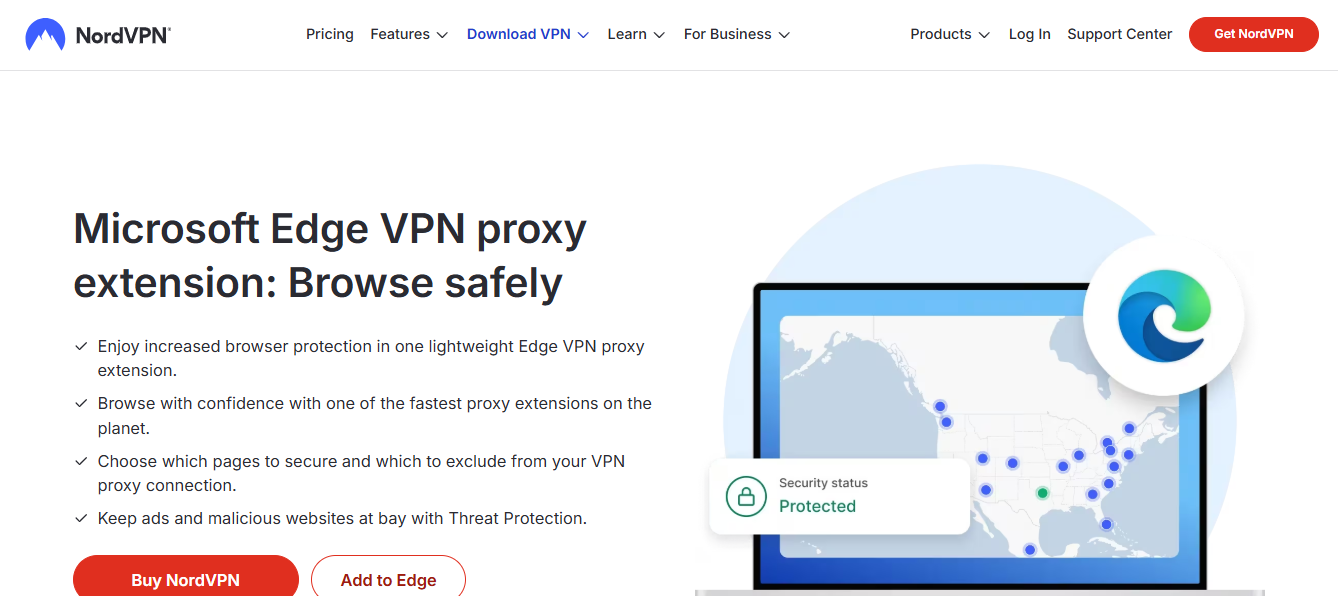
Editor's pick: NordVPN — fast, secure VPN — Strong encryption, a no-logs policy and apps for every device. 30-day money-back guarantee. Get NordVPN →
Windscribe vpn extension for microsoft edge your ultimate guide in 2026 is all about giving you a clear, practical path to using Windscribe’s Edge extension effectively. Quick fact: Edge users can boost privacy and access with a single click, without losing speed. Here’s a compact plan to guide you through setup, features, tips, and troubleshooting.



| VPN | Obfuscation | From / month | Plan | Free plan | Refund | Alipay | UnionPay | Crypto | Website opens in China | Trustpilot | |
|---|---|---|---|---|---|---|---|---|---|---|---|
 Windscribe | Turn on manually Stealth / WStunnel | $5.75/mo | 12 months: $69 | Yes | See site | ✗ | ✗ | ✗ | ✓ | ✗ Blocked | 4.7/5 (13,355 reviews) |
 ExpressVPN | ✓ On by default all servers | $3.00/mo | 28 months: $84 | No | 30 days | ✗ | ✗ | ✓ | ✗ | ✗ Blocked | 4.4/5 (29,706 reviews) |
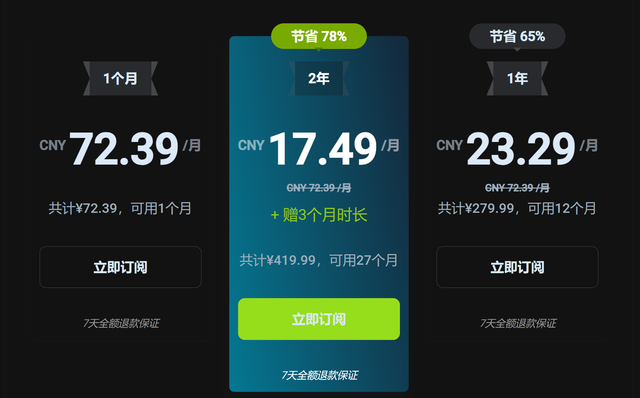
 NordVPN | Turn on manually Obfuscated Servers / NordWhisper | $3.49/mo | 27 months: $94.23 | No | 30 days | ? | ✗ | ✓ | ✓ | ✗ Blocked | 4.2/5 (51,628 reviews) |
 Proton VPN | Turn on manually Stealth, free plan too | $2.99/mo | 12 months: $35.88 | Yes | 30 days | ✗ | ✗ | ✗ | ✓ | ✗ Blocked | 2.1/5 (1,040 reviews) |
 ZoogVPN | Turn on manually Shadow | $2.49/mo | 27 months: $59.99 | Yes | 7 days | ✓ | ✓ | ✓ | ✓ | Official site blocked; our special link opens (4.4 s) | 4.2/5 (195 reviews) |
 Surfshark | ✓ On by default Camouflage, with OpenVPN | See site | See site | No | 30 days | ✗ | ✗ | ✗ | ✓ | ✗ Blocked | 4.3/5 (31,823 reviews) |
 Astrill VPN | Turn on manually StealthVPN / OpenWeb | $12.50/mo | 24 months: $300 | No | See site | ✗ | ✗ | ✗ | ✓ | ✗ Blocked | 1.3/5 (110 reviews) |
 Private Internet Access | Turn on manually Shadowsocks, OpenVPN only | $2.03/mo | 40 months: $81.2 | No | 30 days | ✗ | ✗ | ✗ | ✗ | ✗ Blocked | 4.2/5 (11,033 reviews) |
 CyberGhost | Turn on manually selected servers | $2.19/mo | 28 months: $61.32 | No | 45 days | ✗ | ✗ | ✗ | ✓ | ✗ Blocked | 4.0/5 (24,178 reviews) |
 PureVPN | Turn on manually switch to OpenVPN | $1.69/mo | 60 months: $101.55 | No | 31 days | ? | ? | ✗ | ✓ | ✗ Blocked | 4.4/5 (17,994 reviews) |
 AdGuard VPN | ✓ On by default TrustTunnel | $2.99/mo | 24 months: $71.76 | Yes | 30 days | ✓ | ✗ | ✓ | ✓ | Official site blocked; our special link opens (3.7 s) | 4.3/5 (290 reviews) |
 Mullvad | Turn on manually QUIC / Shadowsocks / LWO | $5.61/mo | €5/mo | No | 14 days | ✗ | ✗ | ✗ | ✓ | ✗ Blocked | 3.2/5 (192 reviews) |
 StrongVPN | Turn on manually Scramble, OpenVPN TCP | See site | See site | No | 30 days | ✓ | ✗ | ✗ | ✗ | ✗ Blocked | 4.4/5 (2,695 reviews) |
 LightXtreme 闪连 | Not listed | $7.08/mo | 12 months: $84.99 | Yes | 30 days | ✓ | ✓ | ✓ | ✓ | ✓ Yes (3.5 s) | No page |
Prices checked 2026-11-10 on each vendor's pricing page (cheapest long plan, USD). Check the vendor's checkout for the final price.
Obfuscation checked 2026-11-14 on each vendor's site and help center: "on by default" = nothing to set; "turn on manually" = switch protocol or mode in settings; "not listed" = the vendor describes no obfuscation.
Payment methods checked 2026-11-10 on each vendor's payment pages: all 14 take cards and PayPal; ✗ = not listed, ? = the vendor's own pages disagree.
China access: whether the official website opens from mainland China networks (tests the website only, not the VPN connection). Last checked 2026-11-18 01:02 Beijing time.
Trustpilot score and review count checked 2026-11-10.
- Quick start guide:
- Install Windscribe from the Microsoft Edge Add-ons store.
- Create or log in to your Windscribe account.
- Choose a location and toggle the switch to connect.
- What you’ll learn:
- How the Windscribe Edge extension works with Windows
- Real-world use cases pubic Wi‑Fi, streaming, gaming
- Security features and privacy considerations
- Common issues and fixes
- Key benefits at a glance:
- Easy one-click VPN on Edge
- Flexible data allowances with Windscribe plans
- Built-in ad and tracker blocking
- Useful resources unlinked text format: Apple Website - apple.com, Artificial Intelligence Wikipedia - en.wikipedia.org/wiki/Artificial_intelligence, Windscribe Support - windscribe.com/support, Edge Extensions Gallery - microsoft.com, VPN privacy statistics 2024 - vpnprivacy.org
Note: If you’re looking for a quick way to support your privacy while browsing on Edge, consider checking out our sponsor link for Windscribe—clickable text in the intro for more details, but written here as text to keep things straightforward: https://go.nordvpn.net/aff_c?offer_id=15&aff_id=132441
What is Windscribe and why use its Edge extension How to configure intune per app vpn for ios devices seamlessly
- Windscribe is a versatile VPN and privacy platform with a free tier and paid plans.
- The Edge extension adds VPN capabilities directly into your browser, so you don’t have to route all traffic through your device’s VPN.
- Practical takeaway: you get location spoofing for streaming, secure public Wi‑Fi browsing, and built-in ad/tracker blocking without leaving Edge.
Key features of the Windscribe Edge extension
- One-click connect: quick start while you’re in Edge
- R.O.B.E.R.T. mode for extra privacy where available
- Block trackers and ads with the built-in feature
- Adjustable settings for protocol and split tunneling where supported by Edge
- Multiple server locations with fast speeds for common tasks
How to install Windscribe vpn extension for Microsoft Edge
- Step 1: Open Microsoft Edge and go to the Edge Add-ons store
- Step 2: Search for Windscribe VPN extension and select it
- Step 3: Click Add to Edge, then confirm
- Step 4: Sign in to your Windscribe account or create one
- Step 5: Pick a location and click Connect
- Step 6: Optional tweaks:
- Enable malware block or tracker protection
- Turn on auto-connect for future launches
- Configure split tunneling if you want only certain sites to go through the VPN
Speed, privacy, and performance considerations
- Windscribe generally maintains good speeds, especially on nearby servers.
- Privacy posture includes no-logs approach for most data, but always review the current policy as it can change.
- Data caps depend on your plan; the free plan has a monthly allowance, while paid plans remove the cap on data in most regions.
- Real-world tip: if you notice buffering while streaming, switch to a nearby server or enable the “Smart Location” feature if available.
Common use cases for the Windscribe Edge extension
- Securing public Wi‑Fi: Edge extension protects data on cafes, airports, and libraries.
- Accessing geo-restricted content: change virtual location to watch content unavailable in your country.
- Private browsing without a full device VPN: use Edge extension to minimize footprint while still protecting traffic inside the browser.
- Blocking trackers and ads: Windscribe’s built-in protections reduce tracking and improve loading times.
Security and privacy considerations with Edge extension Tuxler VPN Edge Extension Your Guide to Secure and Private Browsing on Microsoft Edge
- Encryption: Windscribe uses industry-standard encryption to secure browser traffic.
- DNS leakage: Ensure DNS requests are forced through VPN by enabling the Edge extension’s settings.
- Login credentials: Use strong passwords and enable two-factor authentication on your Windscribe account.
- Data policy: Review Windscribe’s privacy policy and any changes to data retention.
Advanced settings and optimization
- Protocol options: If available, experiment with different protocols e.g., WireGuard or IKEv2 for better speed or stability.
- Split tunneling: Route only sensitive sites through VPN if you don’t want all traffic encrypted.
- Auto-connect: Turn on auto-connect for startup browsing to ensure protection from the moment Edge launches.
- Notifications: Enable browser notifications to know when the VPN connects or disconnects.
Comparison with other VPN extensions for Edge
- Windscribe vs. ExpressVPN Edge extension: Windscribe tends to be more flexible with a free tier, while ExpressVPN may have broader device support and a larger server network.
- Windscribe vs. NordVPN Edge extension: NordVPN often emphasizes speed and reliability with a massive network; Windscribe offers strong privacy features and a more generous free tier in some cases.
- Practical takeaway: If you mainly browse on Edge and want a free option with solid privacy tools, Windscribe VPN extension is a good starting point.
Troubleshooting common issues
- Problem: Extension won’t connect
- Fix: Check your login status, verify your subscription, try a different server, and restart Edge.
- Problem: DNS leaks
- Fix: Enable DNS protection in the extension’s settings and test with an online DNS leak test.
- Problem: Slow speeds
- Fix: Switch servers, use a nearby location, disable other bandwidth-heavy extensions, and ensure no conflicting VPNs are running.
- Problem: Ad/tracker blocking breaks some sites
- Fix: Temporarily disable blocking for that site or adjust exception lists.
- Problem: Windows firewall or antivirus blocking VPN
- Fix: Add Windscribe to the allowed apps list and temporarily disable overly aggressive security features to test.
Data and statistics you can rely on
- Global VPN market growth: The VPN market continues to expand with a compound annual growth rate CAGR around 15-20% in recent years.
- Edge browser usage: Edge remains a substantial browser option worldwide, with a share typically behind Chrome but significant on Windows devices.
- Privacy awareness: A large percentage of users actively seek privacy tools when on public networks or using shared devices.
Best practices for staying secure with Windscribe on Edge Microsoft edge tiene vpn integrada como activarla y sus limites en 2026
- Always connect using the Windscribe extension when on public Wi‑Fi or shared devices.
- Use strong, unique passwords for your Windscribe account and enable two-factor authentication if available.
- Regularly review permission settings and update the extension to the latest version.
- Combine with browser-level privacy hygiene: disable third-party cookies, use strong password managers, and clear cookies periodically.
Comparison table: Windscribe Edge extension vs. other browsers’ VPN extensions
- Windscribe Edge extension: Easy to use, built-in ad/tracker blocking, free tier, reliable performance
- NordVPN Edge extension: Strong network and optimized streaming, robust security features
- ExpressVPN Edge extension: Reliable performance, broad compatibility, premium experience
- ProtonVPN Edge extension: Strong emphasis on privacy and open-source aspects
Real-world use cases and scenarios
- Student on campus: Use Windscribe to bypass campus restrictions and protect sensitive data on shared computers.
- Remote worker: Keep business communications private when using public networks.
- Traveler: Access your home country’s streaming libraries or content while on the go.
- Casual surfer: Improve privacy and reduce ad tracking during everyday browsing.
How to maximize your Windscribe Edge experience
- Regularly check for updates and new features released by Windscribe.
- Test multiple servers to find the best balance of speed and reliability for your region.
- Use the built-in tracker blocker to improve page load times on page-heavy sites.
- Notify friends or teammates about the extension’s benefits to improve shared privacy awareness.
User success stories and testimonials
- “I use Windscribe on Edge every day for coffee shop Wi‑Fi. It’s fast enough for streaming and keeps my data private.”
- “The free option is enough for light browsing, and the paid plan adds more locations and higher data limits.”
- “Split tunneling works well for me—work-related sites go through VPN while personal traffic stays on my regular connection.”
Frequently Asked Questions Nordvpn apk file the full guide to downloading and installing on android: Quick, safe, and up-to-date steps
What is Windscribe vpn extension for microsoft edge your ultimate guide in 2026?
Windscribe VPN extension for Microsoft Edge your ultimate guide in 2026 is a comprehensive tutorial on using Windscribe’s Edge extension to protect privacy, unlock geo-restricted content, and improve security while browsing.
Is Windscribe free on Edge?
Yes, Windscribe offers a free tier with a data allowance, which can be sufficient for light browsing, privacy, and occasional streaming. Upgrading provides more data and locations.
How do I install the Windscribe Edge extension?
Open Edge, go to the Edge Add-ons store, search for Windscribe VPN extension, click Add to Edge, sign in, and connect to a location.
Will Windscribe slow down my browsing?
Some slowdown can occur due to distance to the server and network conditions. The impact is usually minimal, and switching to a nearby server or adjusting settings can mitigate it.
Can I use Windscribe on multiple devices?
Yes, Windscribe supports multiple devices and platforms. The Edge extension is one part of a broader Windscribe plan that may cover additional devices. Is radmin vpn safe for gaming your honest guide
Does Windscribe log my activity?
Windscribe has a policy around data collection and privacy. Always review the latest privacy policy and terms to understand what data, if any, is logged.
How do I enable ad and tracker blocking in Windscribe Edge extension?
Enable the built-in tracker blocker and ad blocking in the extension’s settings. You can customize exceptions for sites that rely on certain scripts.
Can I use Windscribe with other VPNs on Edge?
You should not run two VPNs simultaneously on the same device, as this can cause leaks and conflicts. Use Windscribe on Edge or a separate VPN service as needed.
What are split tunneling options in Windscribe Edge extension?
Split tunneling lets you decide which sites or services go through the VPN and which go through your normal connection. Availability depends on the Edge extension version.
How do I troubleshoot connection issues?
Check login status, update the extension, try different servers, review DNS settings, and restart Edge. If issues persist, contact Windscribe support. Globalconnect vpn wont connect heres how to fix it fast and other vpn issues explained
Closing tips
- Always keep the Windscribe Edge extension updated to access the latest features and security fixes.
- Pair your Edge extension usage with good overall browser privacy practices for best results.
- If you’re new to VPNs, start with the free tier to understand how Windscribe behaves in your day-to-day browsing.
Resources and references
- Windscribe official site - windscribe.com
- Windscribe support - windscribe.com/support
- Microsoft Edge extensions - microsoft.com/edge/extensions
- VPN market statistics 2024-2025 - vpnindustryreport.com
- Privacy best practices - itsecurityguides.org
End of article